I receive government benefits
Start with Lifeline eligibility if you receive SNAP, Medicaid or another qualifying benefit. Then compare participating providers and ask which iPhones are available in your ZIP code.
Looking for a free iPhone government phone? Check Lifeline eligibility, explore 5G iPhone models and compare wireless plans with unlimited talk, text and data. Find an option that fits your budget and household needs.
Lifeline helps eligible households pay for service. A free or discounted iPhone is a separate provider offer; confirm stock, device condition and plan terms before applying.
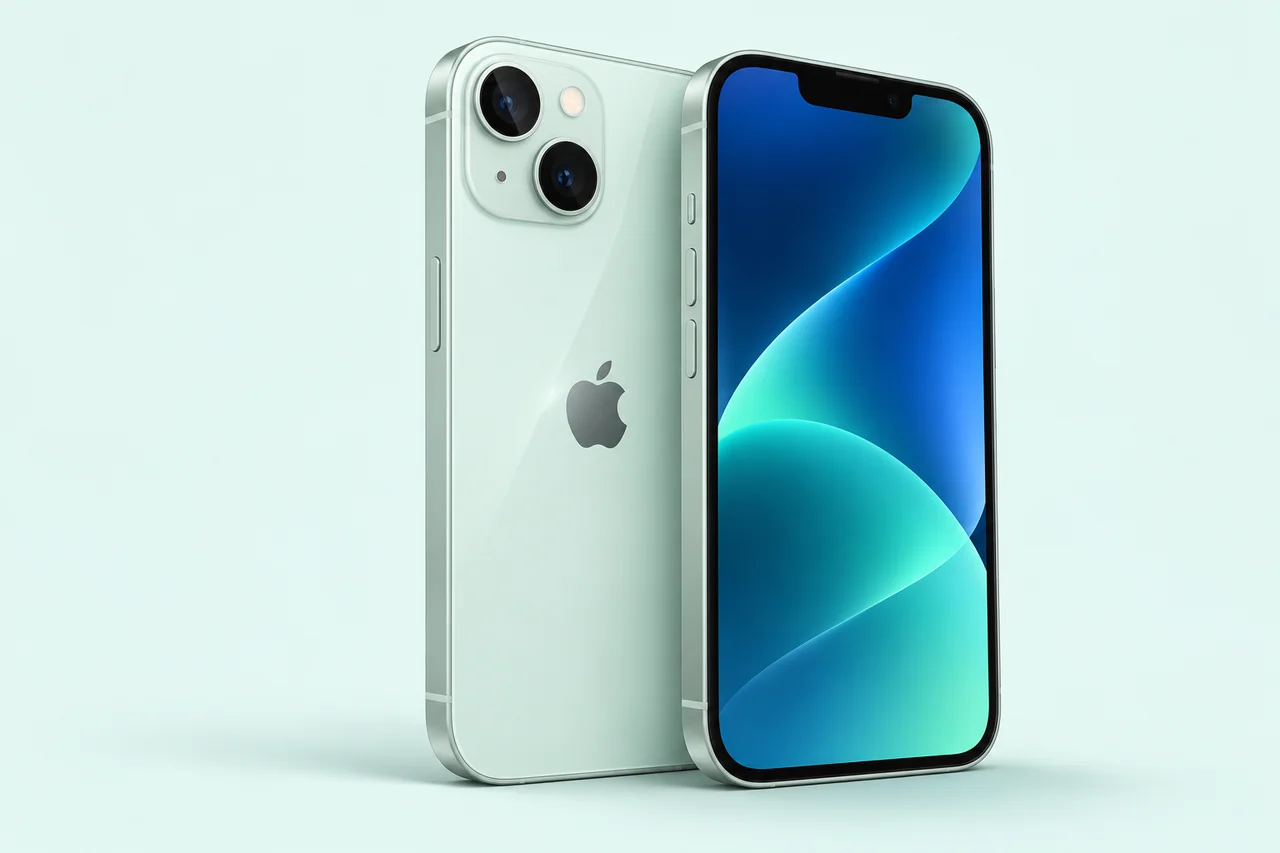
A government-supported plan, a wireless promotion and a school device program solve different problems. Choose the route that matches your needs before sharing personal information or paying for a phone.
Start with Lifeline eligibility if you receive SNAP, Medicaid or another qualifying benefit. Then compare participating providers and ask which iPhones are available in your ZIP code.
If you do not qualify for Lifeline, compare carrier promotions, refurbished phones and prepaid offers. A $0 advertised phone may require a new line or monthly bill credits.
Compare wireless plans first if lowering your recurring bill is the priority. If you need a computer for school or work, explore tablet, iPad and laptop assistance.
Lifeline helps qualifying households lower the cost of phone or internet service. A free iPhone government phone offer comes from a participating provider, with its own device and enrollment terms.
You may qualify through a program such as SNAP or Medicaid, or through your household income. Start with the eligibility rules, then compare the phones and plans available where you live.
Eligibility can follow a qualifying program or household income at or below 135% of the federal poverty guidelines. Income limits depend on household size and location; Alaska and Hawaii have separate tables. People who live together and share income and expenses generally form one household, even if each person has a different phone.
Use the checker for an initial indication, then confirm through the official application process. A child or dependent who participates in a qualifying program can also establish eligibility for their household.
See which path could work for your household.
A guide, not an eligibility decision. Your answers stay in this page. Uses 2026 USAC rules; Tribal and other special routes are explained in our full guide.
The standard benefit is a monthly discount on qualifying service, not an Apple gift card or a guaranteed handset. A provider may combine the benefit with a free or discounted phone offer.
Ask for an itemized quote showing the phone, activation, shipping, taxes and any recurring upgrade cost. Compare the total before agreeing to enroll.
Use official Lifeline information, or the applicable state process, to verify your household. Our checker does not submit an application or collect personal identity documents.
Government assistance can make a reliable connection more affordable. The programs below are eligibility routes or related assistance programs; they do not each issue a free iPhone. Select the benefit you receive, check the evidence you may need and learn how to apply.
Federal discount for eligible phone, internet or bundled service.
Explore LifelineCurrent SNAP participation may establish federal Lifeline eligibility.
Explore SNAP / EBTQualify through participation in Medicaid, not merely possession of an insurance card.
Explore MedicaidSSI participation is a qualifying route distinct from other Social Security benefits.
Explore Supplemental Security IncomeQualifying federal housing assistance can establish eligibility.
Explore Federal Public Housing AssistanceQualifying pension benefit participation, not veteran status alone.
Explore Veterans and Survivors PensionEnhanced support and additional eligibility routes for qualifying Tribal lands.
Explore Tribal LifelineEnded June 1, 2024; explore current alternatives.
Explore Affordable Connectivity ProgramView all government program guides · Explore Lifeline benefits
Choose an iPhone based on the way you use it, not just its model number. Explore six model guides with specifications, compatibility and purchasing considerations. These are comparison models, not a live inventory list; a provider must confirm whether a particular device is currently available at $0 or at a discounted price.

A strong everyday balance of screen size, 5G and storage.

A practical older 5G option for calls, maps and video.

Compact size and a physical Home button make this a familiar choice.

A large screen for everyday calls and messaging without a 5G requirement.

A familiar OLED experience with a more recent dual-camera design.

USB-C charging and Dynamic Island make it a convenient newer comparison option.
Model references are based on Apple specifications. They are not a live stock list or a guarantee of a $0 device. Read our refurbished iPhone checklist before choosing a used phone.
Start with the features that matter to you: a larger display for reading, 5G for supported networks, a physical Home button for familiarity, or USB-C to share chargers with other devices. A newer model is not always the best value if it requires a costly upgrade.
The iPhone SE (3rd generation) has a 4.7-inch display and 5G. It is worth comparing if pocket size and Touch ID matter more than a large screen.
The iPhone 12, 13 and 14 offer 6.1-inch OLED displays and 5G. Compare storage, battery condition and eSIM or physical SIM requirements before selecting one.
The iPhone 15 uses USB-C; the older iPhone 11 uses LTE rather than 5G. Consider the actual upfront price and supported software, rather than assuming a newer model will be free.
A plan should make everyday life easier. Compare the details behind an unlimited headline: high-speed data, hotspot access, coverage and any costs after enrollment.
Check whether unlimited domestic calling is included and whether international calling has separate limits.
Review text and picture-messaging terms. Messaging apps can use mobile data when you are away from Wi-Fi.
Ask what happens after the included high-speed allowance. Slower continued data is different from unlimited full-speed data.
Look beyond the headline. A plan with unlimited talk and text may have a set amount of high-speed data, reduced speeds after that allowance, or no hotspot access. Check your coverage where you live, commute and work, and confirm whether Wi-Fi calling is supported on your chosen device.
Three example allowances, shown on the same scale.
These are comparison examples, not plans sold here. A video-heavy day can use much more data than a day of maps and messaging. Your actual habits matter more than a label.
Confirm that the iPhone supports the provider’s network bands and activation method. A 5G-capable model can still use LTE when 5G coverage is not available.
Ask about high-speed data, throttling, tethering and video quality. If you connect a laptop to your phone, confirm hotspot allowance separately.
Check whether $0 service depends on Lifeline qualification and whether international calls, roaming or optional add-ons cost extra. Read the plan comparison guide.
A free handset is only part of the picture. Compare a full year of service and upfront device costs to understand the real difference for your household.
Potential savings over 12 months
Illustrative scenario: $45/month today versus $0/month with a $60 upfront device cost. Enter actual quotes to compare your options.
| Scenario | Total cost |
|---|---|
| Current plan | $540 |
| Alternative + upfront cost | $60 |
Planning calculator only. These inputs are examples, not advertised prices. Taxes, optional upgrades and any costs you have not entered are excluded.
The Lifeline benefit can reduce qualifying service costs, but an advertised free phone does not automatically mean every part of the offer is free. Check activation, shipping, taxes, upgrades and any required paid plan. Our free iPhone options guide also explains how carrier bill-credit promotions work.
Video, music, maps and messaging all add up differently. Use the planner to get an illustrative monthly estimate, then compare it with your actual phone settings.
Count time spent on mobile data, not time connected to Wi-Fi. Streaming quality, app updates and hotspot use can change consumption considerably, so leave some room rather than choosing an allowance that barely fits.
For a free 5G phone, remember that 5G capability does not itself create an unlimited high-speed data allowance. Your provider's network and plan determine the service you receive.
Read the complete data guideFor job applications, messages and navigation, check your actual cellular usage before choosing a plan. For video classes, telehealth or a mobile hotspot, allow more room. Download large updates over Wi-Fi where possible and check the provider’s speed policy after the high-speed allowance is reached.
Adjust the time you spend away from Wi-Fi.
Illustrative usage assumptions: 0.7 GB/hour for standard-definition video, 0.06 GB/hour for audio, and 0.1 GB/hour for browsing, over 30 days. Apps, quality settings, calls, updates and hotspot use change actual consumption. Check your phone's cellular usage for a more personal baseline.
Prepare the basics first. Then use the official application and compare participating providers before making a device decision.
Review program or income eligibility and whether your economic household already has a Lifeline benefit. People at one address can be separate households if they do not share income and expenses.
Understand eligibilityMatch your application details to your records, and gather any evidence the official process requests. Oregon and Texas use their own state application routes.
Get ready to applyCompare local provider options, verify coverage, and review the exact phone, price, condition and service terms before you enroll. Keep the confirmation for activation and support.
Find your local starting pointHave your legal name, date of birth, address and qualifying program or income evidence ready. Use a current benefit notice or other documents accepted by the official application system.
If your identity or benefits cannot be verified automatically, follow the official request for documentation. An eligibility approval is not a reservation for a specific iPhone.
After approval, compare a participating provider’s actual device and service offer. Keep your confirmation and check that calling, messaging and data work before transferring your old number.

Classes, part-time work, family and everything in between: a reliable phone helps keep a busy day together.
Student status alone does not qualify a household for Lifeline. Start with income or program eligibility, then explore your school's technology support, emergency assistance and device-lending options.
Find the right student resourcesCheck whether your household qualifies for Lifeline; if you are financially dependent, household rules still matter. Ask your college or school about loaner devices, emergency grants and technology support. If you are shopping independently, compare prepaid plans and carrier student promotions, including any trade-in or credit requirements. A student ID is not a universal entitlement to a free iPhone.
Sometimes the task needs a bigger screen. Explore current tablet, laptop and iPad assistance routes, with a practical look at eligibility, costs and local alternatives.

Understand provider promotions, community lending and the difference between a current offer and an outdated ACP device claim.
Explore tablet options
Find out how SNAP eligibility can connect you with nonprofit computer discounts, and where to look for school or local assistance.
See laptop assistance
Separate eligibility from device availability. Compare school loans, community support and refurbished iPads before paying.
Understand iPad optionsAn EBT card is not an automatic entitlement to a free computer or tablet. The ACP ended June 1, 2024; its former device discount is not an active benefit.
Look for current offers from participating companies, local digital inclusion programs and library lending. Check whether the tablet has cellular service or requires Wi-Fi, and whether a contribution or recurring plan is required.
Nonprofit refurbishers, school programs and local workforce organizations may offer discounted or loaned computers. Verify their own eligibility, stock and costs; SNAP is not a universal laptop voucher.
Ask schools and local community programs about Apple tablet lending or refurbished options. Check the model, charging accessories, software support and any return obligation before accepting a device.

A working connection matters long after enrollment. Find practical help for setting up your device, keeping your number and maintaining your benefit.
Keep your provider informed when your eligibility or address changes, follow recertification requests and review the service usage rules. If you lose your phone, contact the provider to suspend the old SIM and ask about replacement costs. If your device is secondhand, confirm that it is unlocked and not linked to another person’s Apple Account before setting it up.
Free iPhone government phone offers vary by state, ZIP code and provider. The core federal eligibility routes apply broadly, but some states use distinct application systems or income thresholds. Check your state’s guidance, then compare coverage, exact model availability and terms for your address.
California LifeLine has separate state eligibility rules and provider enrollment.
Explore CaliforniaOregon administers its own Lifeline enrollment route.
Explore OregonTexas uses a state Lifeline enrollment system rather than the standard federal National Verifier route.
Explore TexasAlaska has higher federal income limits than the contiguous states.
Explore AlaskaHawaii uses its own federal poverty-guideline income table.
Explore HawaiiVerified customer reviews will appear here when available. The examples below illustrate common needs, not real customer experiences.
No customer ratings or testimonials have been verified yet. Visit our contact and help page.
When comparing wireless services, look for verified experiences that discuss device condition, delivery, activation, coverage and support after enrollment. These scenario cards help you identify the questions that matter for your own situation; they are not endorsements or star ratings.
Find clear answers about free iPhone offers, Lifeline eligibility, applications, 5G phones, unlimited service, students and EBT device assistance. Select a question to expand its answer.
Lifeline reduces qualifying phone or internet service costs. A participating provider may separately offer a free or discounted iPhone, but the government does not guarantee a particular Apple device. Compare free iPhone options and confirm the offer in your ZIP code.
Check your program or income eligibility, apply through the official Lifeline process or your state’s designated route, then choose a participating provider. Confirm its current device offer before enrollment. See our application guide.
A household may qualify for Lifeline through income or participation in an eligible program such as SNAP, Medicaid or SSI. Federal public housing assistance, qualifying veterans pensions and certain Tribal programs are other routes. Use our eligibility guide.
Current SNAP participation can establish a Lifeline eligibility route. EBT is a benefit-delivery system rather than an independent qualifying program. Device inventory and provider terms still apply. See SNAP and EBT eligibility.
Yes, participation in Medicaid or Supplemental Security Income is a federal Lifeline eligibility route. Other insurance or Social Security benefits do not automatically qualify. Read the Medicaid and SSI guides.
Yes. Income at or below 135% of the applicable federal poverty guideline can qualify a household, as can other recognized benefit programs. Use the eligibility checker and confirm through official channels.
Only one Lifeline benefit is allowed per economic household. People living at the same address who do not share income and expenses may be separate households, subject to verification. See the household rules.
Prepare identification details, your address and evidence of qualifying benefits or income if requested. The official application explains which documents are accepted. Do not send identity documents to an unsolicited contact. Use our checklist.
Read the official notice carefully. Correct inaccurate information, supply any requested documents using the official channel and contact the program for help if necessary. A pending application does not mean a phone has been reserved.
Verification time depends on whether the application can be confirmed automatically. Provider approval, stock and delivery are separate steps, so there is no universal delivery time. Ask the provider for an estimate before committing.
Some prepaid and Lifeline-based offers may not require a traditional credit check or trade-in, but terms are provider-specific. Commercial promotions may require credit approval, a new line or an eligible trade-in. Review the written conditions.
Student status alone does not establish federal Lifeline eligibility. Students may qualify through their household income or a recognized benefit. School device loans, emergency support and carrier student offers are separate routes. Explore student assistance.
No. The ACP ended June 1, 2024. Its former service and device discounts are no longer available. Lifeline remains separate; see the ACP alternatives guide.
Use the ZIP-code and state guide or the official company search. Confirm local coverage, enrollment requirements, device availability and the full price directly with the provider.
There is no guaranteed nationwide inventory. Our six iPhone model guides cover iPhone 11, 12, 13, 14, 15 and SE (3rd generation). Ask the provider which models and storage capacities are available, at what price and in what condition.
A provider or carrier may offer one of these models as part of a promotion, but no federal program guarantees them. Check whether the advertised price requires a paid upgrade, trade-in or long-term bill credits. Compare the model features first.
Some providers offer 5G-capable devices. The iPhone 12, 13, 14, 15 and SE (3rd generation) support 5G, whereas iPhone 11 uses LTE. Actual 5G access depends on coverage, compatibility and the plan. Explore the 5G phone guide.
Offers differ. Confirm whether the device is new, refurbished or used, and ask about battery health, warranty and return terms. Check our refurbished phone checklist before accepting a device.
Some offers include unlimited domestic calling and texting. Data terms vary: a plan may slow speeds after a high-speed allowance or limit hotspot use. Confirm the details with the provider and compare wireless plans.
No. Some plans provide continued data at reduced speeds after a set allowance. Video streaming, hotspot use and network management may have separate limits. Use the data planner to estimate your needs.
Possibly. A free phone may still have taxes, shipping, activation, optional upgrades or paid-plan requirements. Ask for the total upfront and recurring cost. Use the savings calculator with actual quotes.
Often, eligible active numbers can be transferred. Ask the receiving provider about your account number and transfer PIN, and keep your old service active until the transfer completes. See the activation guide.
A compatible unlocked iPhone may be eligible for bring-your-own-device service. Confirm network support, SIM or eSIM compatibility and the provider’s device check. See our compatibility guide.
Contact your wireless provider to secure the account and report the missing device. Ask whether repair or replacement is available and what it costs. A replacement iPhone is not automatically free.
Current tablet offers may come from providers, community organizations or school lending programs. Check the current terms and any service or device costs; the former ACP device discount has ended. Explore tablet assistance.
SNAP participation can help qualify for some nonprofit computer programs, but it does not guarantee a free laptop. Check local refurbishers, school support and workforce programs for their requirements and actual stock. Read laptop options.
An EBT card does not automatically provide a free iPad. Check school device loans, community assistance and any current provider offers. Confirm whether the iPad is borrowed or owned and whether costs apply. See iPad assistance.
Eligibility is checked annually. If you receive a request to recertify, respond through the official process by the stated deadline. Report relevant changes to your provider and follow service usage requirements. See recertification guidance.
Check eligibility, compare the actual device and plan costs, and confirm an offer with a participating provider before you apply.
Our guides reference USAC eligibility rules, official Lifeline application guidance and manufacturer specifications. Reviewed November 28, 2026. We provide independent guidance and official handoffs; enrollment decisions and device fulfillment are handled by the relevant program and provider. Read our editorial approach.